MAMAKO Captions
What the Teacher Says, Live on the Classroom Board.
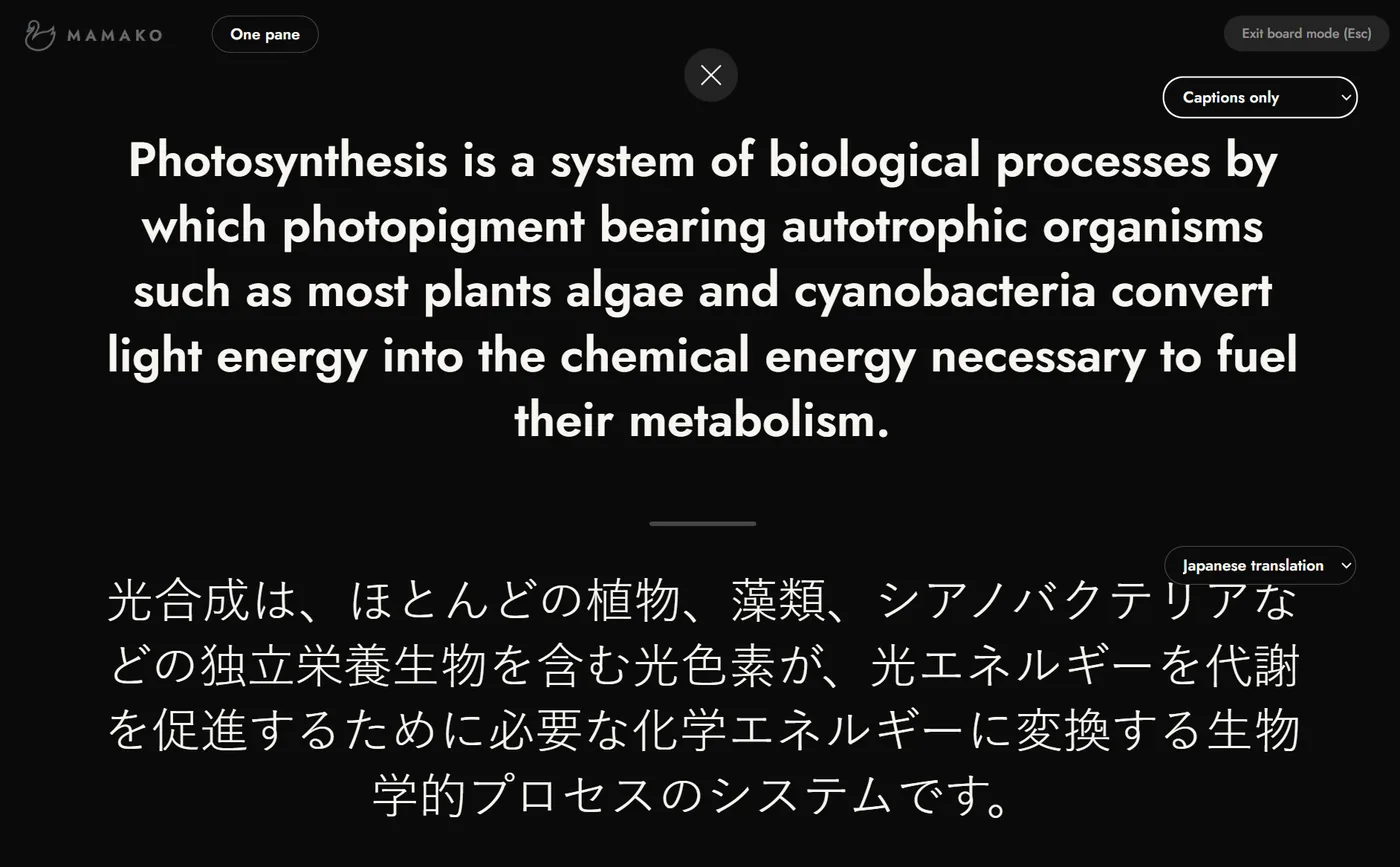
MAMAKO captions the teacher's English as it is spoken, in a caption bar over the slides or full screen in board mode, with each word highlighted as the teacher says it. It runs in Chrome or Edge on the laptop the teacher already projects from. There is nothing to install, and students never create accounts.
Sold to schools as a pool of class hours that every teacher draws on. Students never pay.
How a Lesson Runs
Open MAMAKO and Teach
The teacher opens MAMAKO in Chrome or Edge and teaches as usual. A clip-on microphone gives the most accurate captions.
Captions Follow the Teacher
Captions appear in a caption bar over the slides, or fill the screen in board mode, with each word highlighted as the teacher says it.
A Recap After Class
MAMAKO writes a short recap of the lesson with the day’s key words. The teacher reads it, hides anything they want to keep back, and shares it with students by link.
Built for Secondary Classrooms Taught in English
- Secondary classrooms taught in English, from middle school through high school, including AP and IB, where students learn academic content while they are still developing the language.
- Academic language gets in the way in every English-medium classroom, so MAMAKO is built to run across a whole department.
- MAMAKO works inside the mainstream lesson, alongside EAL specialists, pull-out programs and co-teaching.
Student data
What Happens to Student Data
Each line below is true of MAMAKO today. The student data page and the privacy policy carry the rest.
- MAMAKO never records or stores classroom audio.
- The word-for-word transcript is for the teacher only, and it is deleted automatically 7 days after the lesson.
- Caption translation happens on the teacher’s own computer. The translated text never reaches MAMAKO.
- MAMAKO never sells school data or uses it to train AI models.
How MAMAKO protects student data has the rest: what is kept, who can see it and for how long. The privacy policy is the full statement.
FAQs
What does a teacher need to set up MAMAKO?+
A laptop with Chrome or Edge, the projector or screen they already teach with, and a microphone. A clip-on microphone gives the most accurate captions. There is nothing to install, and the mic check at the start of a lesson takes seconds.
How accurate is the live transcription?+
Accuracy depends mostly on the microphone and the room. A clip-on microphone and a normal speaking pace give the best results, and a laptop's built-in microphone does worse as the room gets louder or the teacher moves away. No live transcription is perfect, which is why every lesson starts with a mic check that takes seconds.
Do students need accounts?+
No. Students never create MAMAKO accounts. During class they follow the board, and after class they open the recap their teacher shares by link.
How much does MAMAKO cost, and how do we start?+
MAMAKO is sold directly to schools. Your school buys a pool of class hours that all its teachers draw on, with every feature included. Ask for a quote and we will size a pool to your school and email you an estimated price. Students never pay.
More from MAMAKO: MAMAKO Captions · Live Translation for English Learners · Essay Feedback Tool for Teachers